
The quality of your AI-supported software development stands and falls with a single factor: the system prompt. While development teams in companies work with AI IDEs such as Cursor, Windsurf or Cline on a daily basis, many overlook a fundamental fact: these tools are only as good as the instructions they receive.
A repository recently published on GitHub has compiled a remarkable collection: the master prompts of all leading AI tools and IDEs worldwide. This transparency reveals what was previously hidden. The precise instructions that determine whether an AI coding agent delivers brilliant code or produces frustrating hallucinations.
The underestimated architecture behind AI IDEs
When you use Cursor, GitHub Copilot or similar tools, you are not working directly with the underlying language model. You interact with a carefully constructed system prompt - a meta-instruction that optimizes the behavior of the model for development tasks.
The master prompts of the leading tools differ considerably in their philosophy:
- Structuring: XML-based tags versus classic Markdown hierarchies
- Thought process control: Forced chain-of-thought protocols versus free problem solving
- Anti-laziness mechanisms: Explicit completeness requirements versus implicit quality expectations
- Context management: Precise matching rules versus flexible interpretation
These differences are not of an academic nature. They determine whether your AI agent considers all dependencies in complex refactoring tasks or overlooks critical edge cases.
Why most developers work suboptimally
The standard prompts of most AI IDEs are compromises - designed for broad applicability, not for peak performance in specific contexts. They are designed to cover the average use case, not your specific requirements for code quality, architectural patterns or team conventions.
The consequence? Development teams spend time correcting imprecise AI suggestions instead of realizing the productivity gains that AI-first development promises.
Three central weaknesses are evident in practice:
- Lack of context prioritization: The model does not understand what information is critical to your decision
- Inconsistent code quality: The output varies considerably between brilliant solutions and naive implementations
- Incomplete implementation: The system breaks down with complex tasks
The meta master prompt: synthesis instead of compromise
At Obvious Works, we have taken a fundamental approach: Instead of relying on a single master prompt, we systematically analyzed all available master prompts from the leading AI tools.
The methodology was complex but informative. First, all the master prompts were extracted and consolidated. The result was a text file of almost 1.5 megabytes. This database formed the basis for a multi-model analysis.
Two leading language models, Google Gemini and Claude, were given the same analysis task: identify the strengths, weaknesses and complementary approaches of these prompt architectures. The results differed significantly, reflecting the different «thinking styles» of the models.
The decisive step followed: a third model compared both analyses and identified the optimal synthesis. The result is not an average compromise, but an integration of the respective strengths.
Our Meta-Masterprompt combines:
- The structural clarity of XML-based architectures
- Enforced transparency in the thought process for comprehensible decisions
- Adaptive complexity, from lightweight to full engineering mode
- Precise anti-hallucination protocols for reliable code modifications
- Security-by-design principles for production-ready code
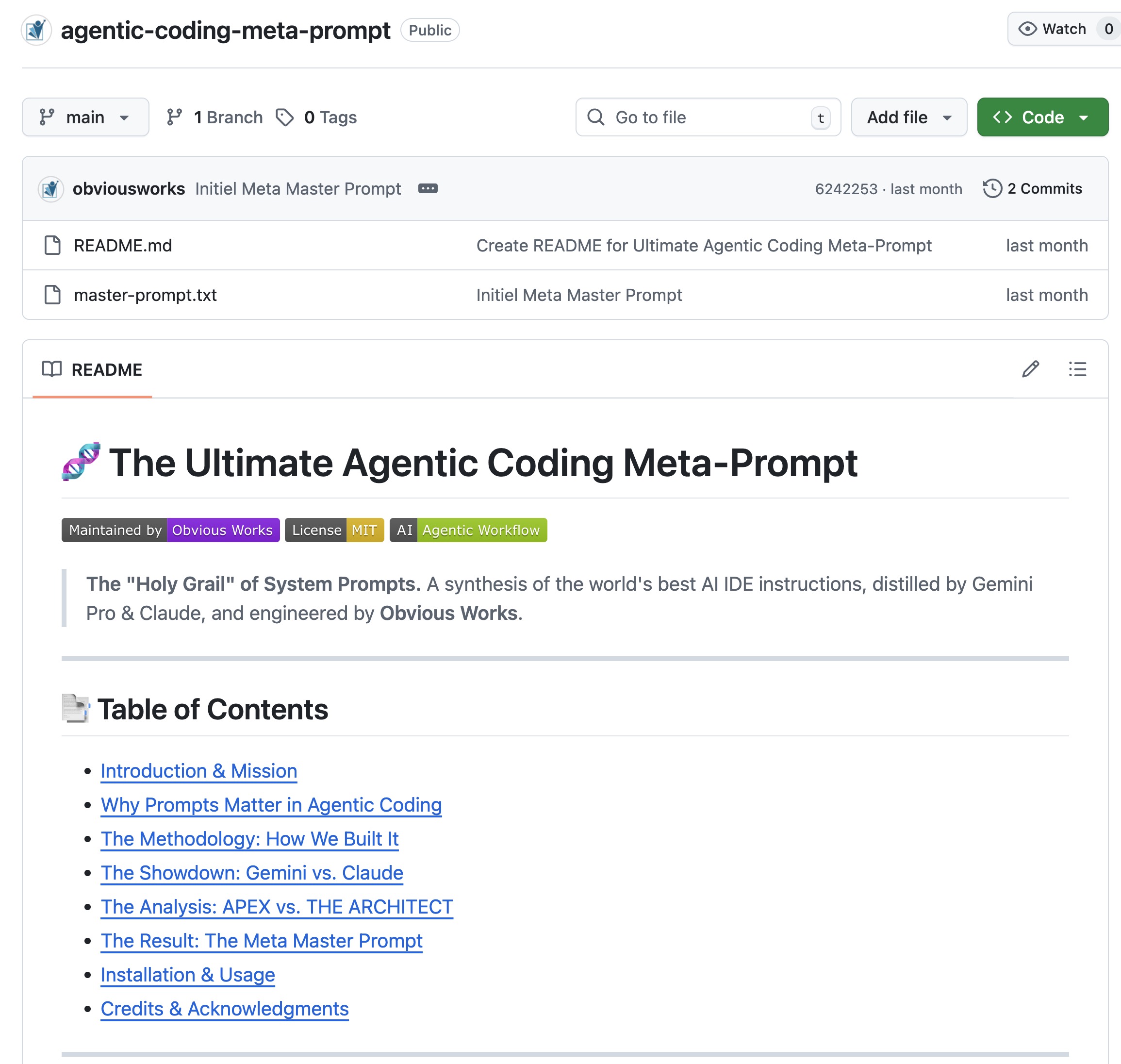
➟➠Here is the link to our result, to our Meta Masterprompt: https://github.com/obviousworks/agentic-coding-meta-prompt
What this means for your development practice
The availability of an optimized master prompt is the first step. The actual transformation comes from consistent integration into your development workflow.
Three dimensions are decisive:
Prompt engineering as a core competence: You need to understand how precise instructions affect AI output. This is not an optional extra qualification, but becomes a fundamental skill for effective software development.
Systematic prompt iteration: The best master prompt is worthless without continuous adaptation to your specific requirements. Successful teams establish feedback loops that anchor prompt optimization as an integral part of their development processes.
AI-First Habit Formation: The transition from traditional to AI-supported development requires more than tool adoption. It is about fundamental changes in problem solving, from «How do I implement this?» to «How do I instruct the AI to implement this optimally?»
How did we develop the ultimate meta master prompt?
Our approach was radically data-driven. Instead of relying on a single prompt, we systematically analyzed ALL available master prompts - using a methodology that itself relies on AI strengths.
The 4-step process in detail:
Step 1: Data mining
We used the repository system-prompts-and-models-of-ai-tools as Ground Truth - one of the most comprehensive collections of AI tool prompts in the world.
Step 2: Aggregation
Using Google Antigravity, we extracted EVERY available master prompt and consolidated them into a single text file. The result: 1.5 megabyte pure prompt text - the collective intelligence of all leading AI coding tools.
Step 3: Meta-analysis prompt
We developed a specific analysis prompt that was designed to deconstruct this massive data set. The question: What makes a prompt really EFFECTIVE?
Step 4: Multi-model analysis
This is where it gets interesting: We fed the 1.5 MB to two leading language models - with identical instructions :
- Run 1: Google Gemini Pro
- Run 2: Claude Opus (Thinking Model + Knowledge Base)
The goal? To generate two competing visions of the «perfect prompt» - and then find the synthesis.
Why is forced «thinking before acting» so revolutionary?
The <architect_thought> Tag is the killer feature of Claude's approach.
The mechanism is simple but powerful: the model is FORCED to follow its plan. to formulate in writing, BEFORE it generates code. What happens as a result?
- Error rate for complex logic tasks drops drastically
- Hallucinations become visible - you see when the model «guesses»
- Debugging becomes trivial - you understand the decision-making logic
Imagine: Instead of blind code output, you first get a structured analysis like:
The user wants to refactor the authentication.
Current architecture: JWT-based with Redis Session Store.
Dependencies: UserService, TokenValidator, SessionMiddleware.
Risks: Breaking changes in API contracts.
My plan:
1) Abstract interface, 2) Backward compatibility layer, 3) Migration script.
</architect_thought>
THEN comes the code. That's the difference between a junior who hacks away and a senior who THINKS first.
What does the final meta master prompt look like?
The technical winner was APEX (due to its XML robustness) - but it lacked the «soul» of THE ARCHITECT.
That is why we have Obvious Works Meta-Masterprompt a chimera that combines the strengths of both worlds:
The 5 pillars of our meta-prompt:
| Pillar | Origin | What it does |
|---|---|---|
| XML skeleton | APEX (Gemini) | Maximum parsing efficiency thanks to the LLM |
| Thinking tags | ARCHITECT (Claude) | Forced reasoning BEFORE code generation |
| SDLC cover | Synthesis | Complete software development life cycle: Planning → Coding → Testing → Security |
| Adaptive modes | APEX | Knows when a deep dive is necessary and when brevity is required |
| Anti-hallucination protocols | ARCHITECT | Precise context matching rules for reliable edits |
Concrete features of the Meta-Prompt:
- Structural clarity: XML-based architectures set unmistakable limits
- Forced transparency: Every decision is documented in a comprehensible manner
- Adaptive complexity: From lightweight chat responses to full engineering mode
- Security-by-Design: Production-ready code right from the start
How do you integrate the Meta-Masterprompt into your workflow?
The installation is extremely simple - the effect is transformative.
For Cursor AI / Windsurf:
- Copy the content of the
meta_master_prompt.mdFile from our GitHub repo - Create or open the
.cursorrulesfile in your project root - Paste the text
- Restart cursor - done!
For Custom GPTs / Claude Projects:
- Open the «System Instructions» or «Knowledge Base Instructions»
- Insert the complete prompt
- Save - your AI agent is now working at senior level
For Claude Code:
Copy the prompt into your CLAUDE.md or link an extra MD file with the prompt in the CLAUDE.md.
➟ Here is the link to our result: github.com/obviousworks/agentic-coding-meta-prompt
What does this mean in concrete terms for your development practice?
The availability of an optimized master prompt is the first step. The actual transformation comes from consistent integration into your development workflow.
Three dimensions are decisive:
1. prompt engineering as a core competence
You need to understand how precise instructions affect AI output. This is not an optional extra qualification - it becomes a fundamental ability for effective software development. Those who can prompt multiply their productivity. Those who cannot prompt are frustrated instead of supported by AI.
2. systematic prompt iteration
The best master prompt is worthless without continuous adaptation to your specific requirements. Establishing successful teams Feedback loops, that embed prompt optimization as an integral part of their development processes:
- Weekly prompt reviews
- Documentation of prompt failures
- Iterative improvement based on outcomes
3rd AI-First Habit Formation
The transition from traditional to AI-supported development requires more than tool adoption. It is about fundamental changes in problem solving:
| Old way of thinking | New way of thinking |
|---|---|
| «How do I implement this?» | «How do I instruct the AI to implement this optimally?» |
| «I write the code» | «I orchestrate the AI when writing code» |
| «Debugging by reading» | «Debugging through prompt refinement» |
The strategic question for you
Your competitors are already optimizing their AI workflows. The question is not whether you introduce AI-first development, but how quickly you get through the learning curve.
The difference between teams that use AI as «improved autocompletion» and those that realize fundamental leaps in productivity lies in systematic skills development.
Our DevAI Expert Bootcamp addresses precisely this transformation. Instead of a superficial tool introduction, we develop the underlying skills with your team: Precise prompt engineering, effective context management, and the integration of AI agents into complex development workflows.
➟➠Here is the link to our DEV AI BootcampHere we transform software developers into AI-first DEVs with the best AI tool stack - 12 weeks of hands-on practice and exchange: https://www.obviousworks.ch/en/trainings/ai-developer-bootcamp/
The master prompts are publicly available. Knowing how to use them for peak performance is the key differentiator.

Matthias (AI Ninja)
Matthias puts his heart, soul and mind into it. He will make you, your team and your company fit for the future with AI!
About Matthias Trainer profile
To his LinkedIn profile
 DE
DE  EN
EN